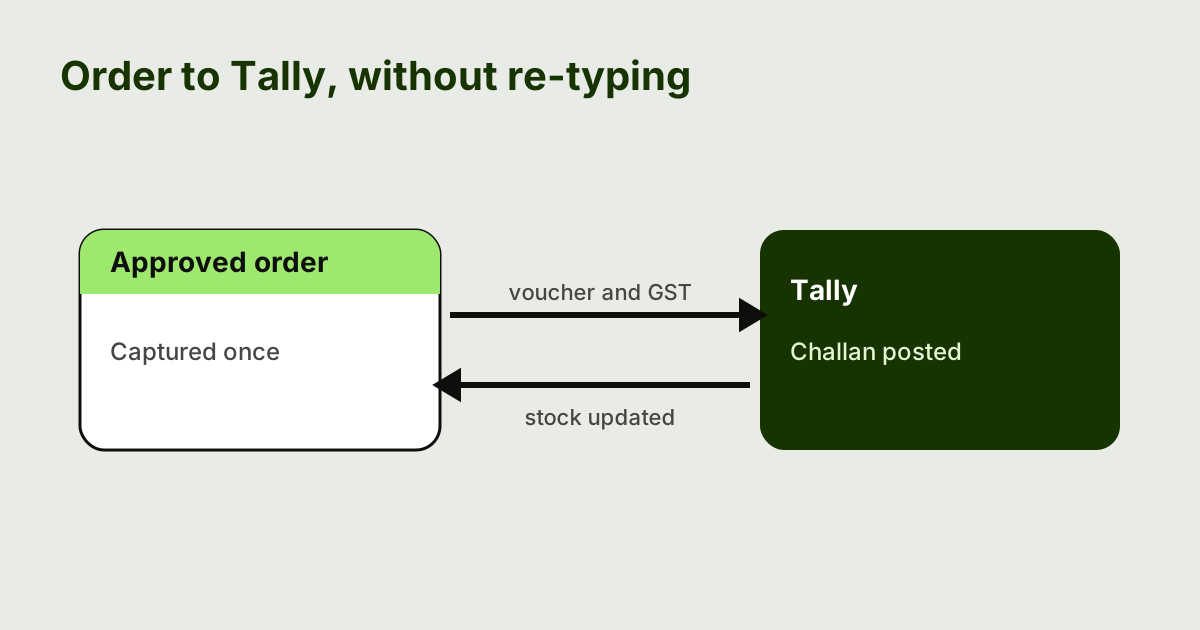
Tally order automation means an order is captured once and then posted into Tally as a voucher or delivery challan without a person re-typing the party, items, quantities, rates, HSN codes and GST split. This guide explains how it actually works, the honest limits of each approach, and how a distributor ordering portal automates the Tally step end to end.
Why does every order get entered twice today?
For most distributors the order already exists in writing before it reaches Tally. It arrives as a WhatsApp message, a voice note, or a photo of a handwritten list. Someone reads it, checks stock, confirms the price, and jots it into a spreadsheet or a pad. Then, often hours later, the same order is typed a second time into Tally: party details, each line item, quantity, rate, HSN code, and the GST components.
That second entry is where the cost sits. It is slow, it is where typos and wrong rates creep in, and it means your books lag reality by half a day. Manual voucher entry is one of the most time-consuming daily jobs in a distribution office, and it scales badly: more orders means more typing, not more selling.

What does Tally order automation actually mean?
It means capturing the order in a structured form one time, then generating the Tally entry from that same record instead of re-keying it. Depending on the stage of the order, that entry is a sales order, a delivery challan, or a GST invoice voucher. The key idea is single capture: the order is entered by the buyer or your team once, and every downstream document is built from it.
Good automation does more than paste text. It maps to your existing Tally masters so the party, the ledgers, the stock items and the tax classifications are the real ones already in your books, not new duplicates. That mapping is what separates a clean automated voucher from a mess you have to correct later.
What are the ways to get orders into Tally?
There are a few common routes. None is wrong, but they handle very different amounts of the work.
Manual entry (the baseline)
Someone types each voucher. It handles everything a human can handle, including judgment calls, but it is slow, error-prone at volume, and it is the double-entry problem itself.
Excel or CSV import
You collect orders in a spreadsheet and import them. Faster than typing, but you still assemble the spreadsheet by hand, and master mapping and tax setup have to be exactly right or the import fails or posts to the wrong ledger.
XML voucher import
Tally accepts XML vouchers, so a system can generate a valid voucher file and import it. This is how most connectors actually post. It handles party, items and tax cleanly when the masters are mapped, but generating correct XML is not something you do by hand.
A connector or ordering portal that posts on approval
The order is captured in a portal, you approve it, and the portal posts the voucher into Tally for you. This handles the whole loop: capture, master mapping, HSN and GST, challan, and stock movement, with a human approval gate in the middle. It is the only option that also removes the first entry, not just the second.
Where each approach breaks
Manual entry breaks on volume. Excel import breaks when masters are messy or a new party is not set up. XML import breaks if the generated file does not match your ledgers or tax setup. A portal-based flow depends on your masters being clean up front, which is why the checklist below matters before you automate anything.
How does a distributor ordering portal automate the Tally step?
A distributor ordering portal captures the order at the source: your buyer places it themselves against live stock and their own price. You review and approve. On approval, the portal posts a delivery challan into Tally, decrements stock, and can raise the GST invoice. The order was captured once, by the person who placed it, and it reached Tally without anyone re-typing it.
A multi-brand fragrance and cosmetics distributor we worked with had every order phoned in and re-keyed into Tally. After moving to a portal, handling dropped from about 30 minutes to about 2 minutes per order, mis-keyed orders fell from roughly 100 a month to zero, and each approved order produced an automatic delivery challan and GST invoice across more than 3,000 SKUs. The same approach works with Zoho and Odoo where a distributor runs those instead of Tally.
For the broader picture of moving your whole order flow off chat and spreadsheets, see the pillar guide on how to digitize distribution ordering.
What should you check before you automate?
Automation is only as clean as the masters it posts against. Before you switch anything on:
- Clean your stock items. Consistent SKU codes, units and pack sizes, with no duplicates.
- Confirm your party masters. Each buyer should exist once, with the right GST details and state.
- Map your tax ledgers. HSN codes and GST rates set correctly so the split posts right.
- Keep the approval gate. Decide what auto-approves and what a human reviews, so automation never removes your control.
- Dry-run one order. Post a single test order end to end and reconcile the voucher before you go wide.
What should you do this week?
Pick one product line, get its stock items and party masters clean, and dry-run a single order from capture to a posted challan in Tally. Reconcile it against what you would have typed by hand. That one clean loop proves the setup and tells you exactly what to fix before you automate the rest.
If you want this mapped against your own Tally masters, book a call and we will run the first order with you. For the next step of choosing a tool, see the guide on distributor ordering software.